WH · 120 · Guide
How to switch on and use Kobo My Words
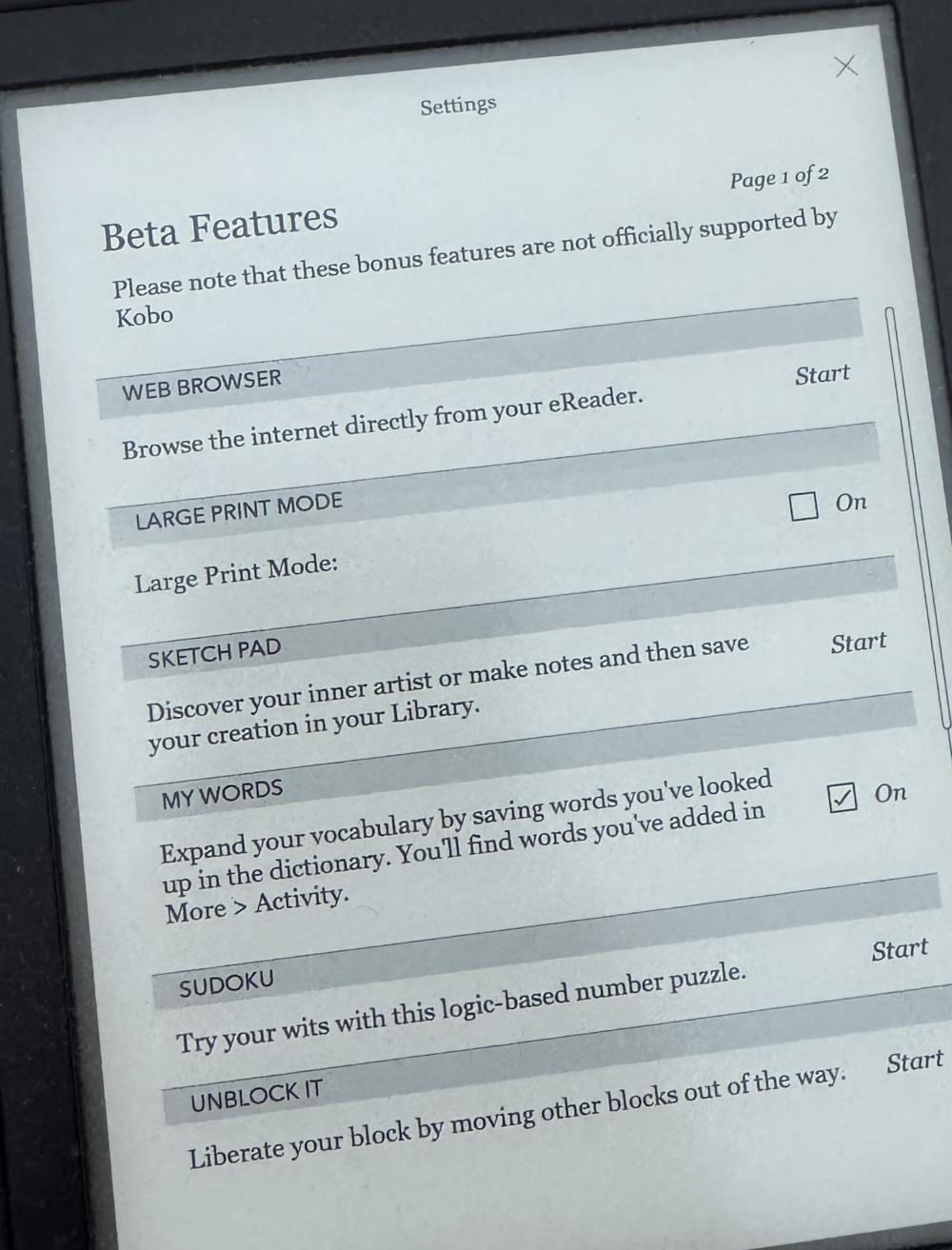
Kobo e-readers can keep a list of the words you save from the dictionary, but the feature is hidden as a "beta feature" and is off until you switch it on. It's called My Words.
Written for Kobo e-readers with recent software. My Words arrived in a 2021 software update; if you don't see it, update your Kobo first (). Kobo says My Words isn't available on the Kobo Elipsa 2E. Menu names can differ slightly between models and versions.
1. Switch on My Words
- From the Home screen, tap .
- Tap .
- Find and tick On.
2. Save words as you read
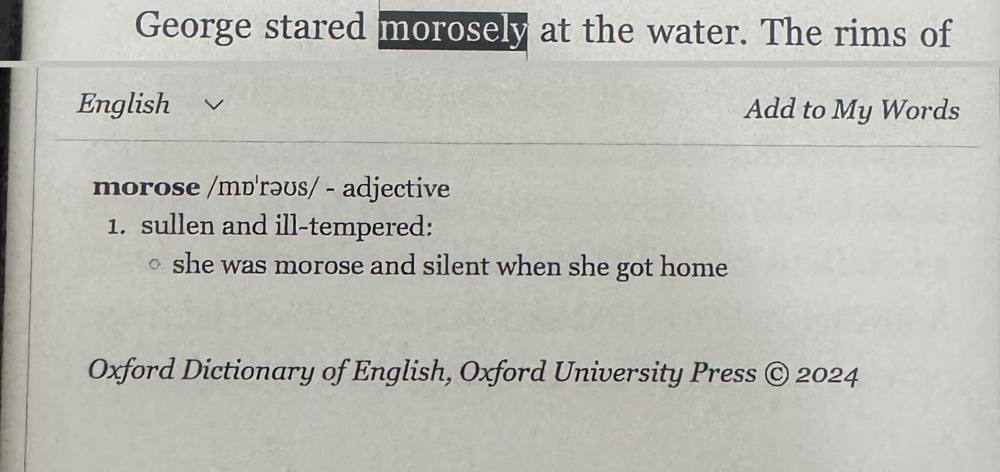
- In any book, press and hold a word, then lift your finger. The dictionary box appears.
- Tap at the top right of the dictionary box.
Looking a word up isn't enough: only the words you add this way go on your list.
3. Find your list
- Tap , then the tab.
- Use to see the most recent words first or A to Z.
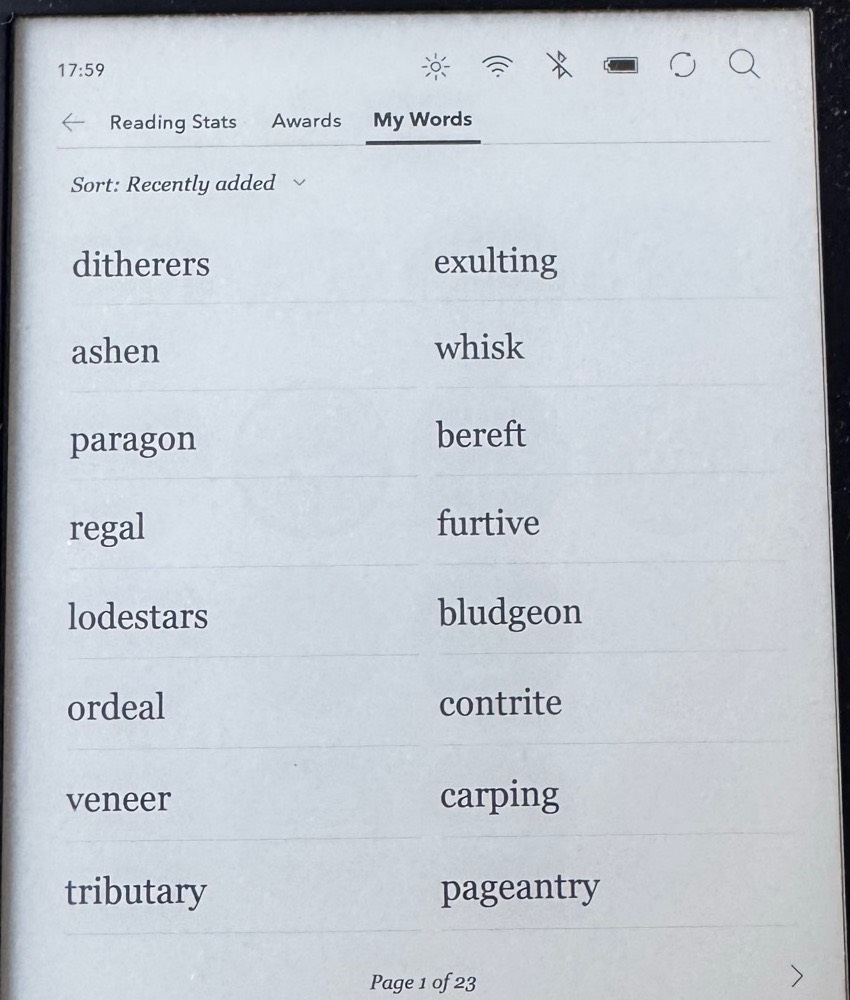
Your list is kept only on your Kobo, not in your Kobo account, so signing out or resetting the e-reader removes it. Kobo says an early version 6.0 software update could also clear it; versions 6.0.2 and later fix that.
What My Words doesn't do
My Words is a list, not a practice tool: it has no flashcards and no reminders. The list also doesn't show the sentence each word came from. Words stick best when they come back just before you would forget them, when you test yourself rather than re-read, and when you see them in context (see the science).
Take your words into Wordhold
Wordhold reads the My Words list straight from your Kobo's screen. Open the list, point your iPhone at it in Wordhold, and the app reads the words with your phone's camera. The photo is processed on your phone and never uploaded. If you want the sentence too, photograph the book page instead and tap the word.
Wordhold is not affiliated with Rakuten Kobo. Kobo is a trademark of Rakuten Kobo Inc.