An iPhone app for readers

Learn the words from your own books

Snap the word list on your Kobo or Kindle, or a page of a paper book. Wordhold keeps each word with the sentence where you met it, and brings it back a few cards a day until it’s yours.

Get Wordhold on the App Store. Free during the launch, with every feature.

  • No account
  • No ads
  • Photos read on your iPhone
  • Your words in your own iCloud

Try it here

  1. Tap a word
  2. Keep it
  3. Recall it

The Great Gatsby

Now he was a straw-haired man of thirty, with a rather hard mouth and a manner. Two shining eyes had established over his face and gave him the appearance of always leaning aggressively forward.

Tap one of the underlined words, as you would on your e-reader.

Three ways to get your words in

Most e-readers quietly keep a list of every word you looked up. Wordhold reads that list from a photo, so there’s nothing to plug in or export.

  1. Kobo: My Words

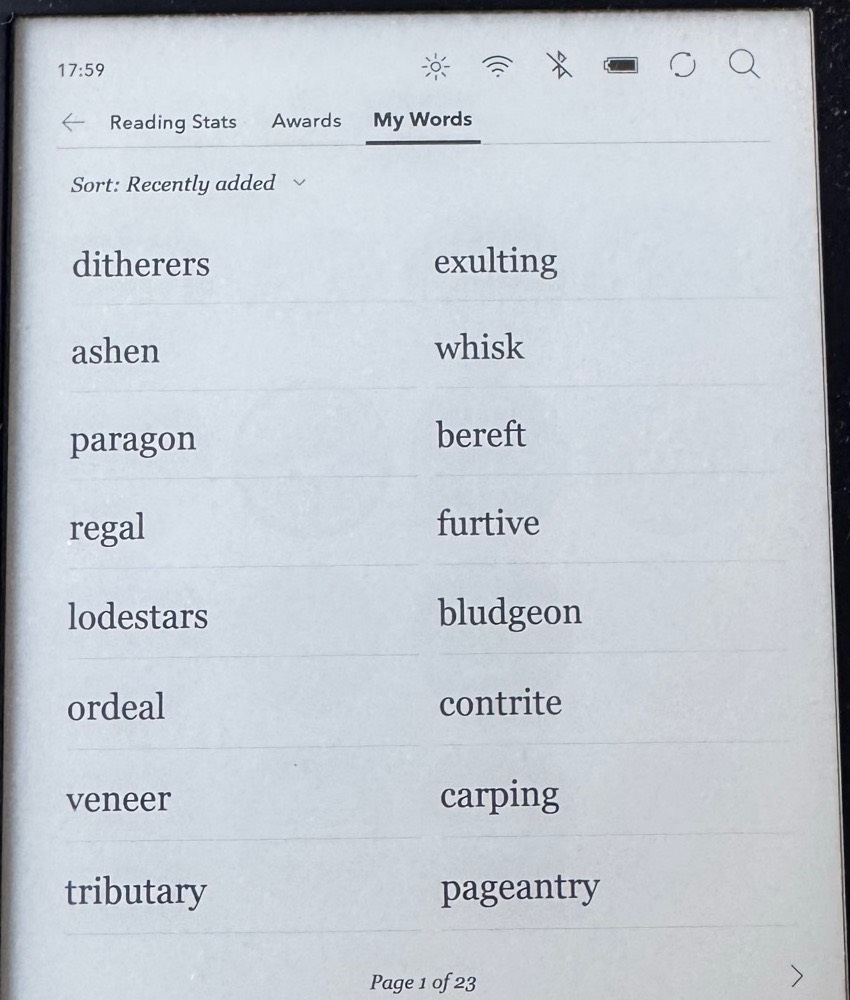
    Open My Words on your Kobo and photograph the list, page by page. Wordhold reads it on your iPhone and asks you to check it. How to switch on My Words

  2. Kindle: Vocabulary Builder

    Photograph your Vocabulary Builder list the same way. Where Kindle keeps your words

  3. A paper book

    Snap the page and tap the word you want. Its sentence comes with it.

Or type a word, share text from another app, or ask Siri: “Add a word to Wordhold”. Photos are read on your iPhone and never uploaded.

A Kobo's Activity screen on the My Words tab: two columns of saved words such as ditherers, ashen, paragon and exulting.
A real Kobo My Words list: 23 pages of words, waiting.

What’s in the app

Over 12 ways to practise

Review comes first: the word in your sentence, a moment to remember, then the meaning. The Practice tab holds every other game, in four groups. A game opens once a word is ready for it, and the tab shows what opens each one.

  1. Reviewsee it, remember it, check
  2. RecognisePick the meaning, Listen and pick, Match, Which meaning?, Find its shelf
  3. RecallBack to the book, Under the painting, Swap it, Opposites
  4. SpellSpelling, Listen and spell
  5. ExploreWord roots, the parts that build a word

Spaced repetition

FSRS, a modern scheduler, brings each word back when it’s due. The red ribbon on the card tells you when.

The meaning your sentence uses

On iPhones with Apple Intelligence, the phone’s own model reads your sentence and picks the right meaning from the dictionary. Nothing is sent anywhere, and you can always pick another.

A dictionary that lives in the app

Clear meanings from Open English WordNet, the pronunciation, and a second example from a classic book. No internet needed to look a word up.

Your words, always yours

No account. Your words are kept on your iPhone and in your own iCloud, so a new iPhone gets them too. Export them to a spreadsheet or an Anki deck any time.

Pick the page you read on

Every screen in Wordhold sits on its theme: plain paper that follows your phone’s light or dark mode, Night, Sepia, or one of twelve public-domain paintings under a cover dark enough to read on.

Theme

A word page in the Paper theme:

Jane Eyre

ensnare

verb · ɛnˈsnɛə

“I am no bird; and no net ensnares me: I am a free human being with an independent will.”

take or catch as if in a snare or trap

Charlotte Brontë, Jane Eyre

Read more